
I figured out that I can file some inconveniences off the experience of writing Hugo sites in VS Code, and the result is a new VS Code extension called Hugo Habitat: mrled/vscode-extension-hugo-habitat. It can:
- Add a clickable glyph next to Hugo links to open that page in the editor
- Open the current page in a browser via a command
- Update frontmatter date to current time via a command
Clickable references
The extension adds a [↗] glyph next to each Hugo page reference.
You can cmd-click that glyph to open the corresponding file in VS Code.
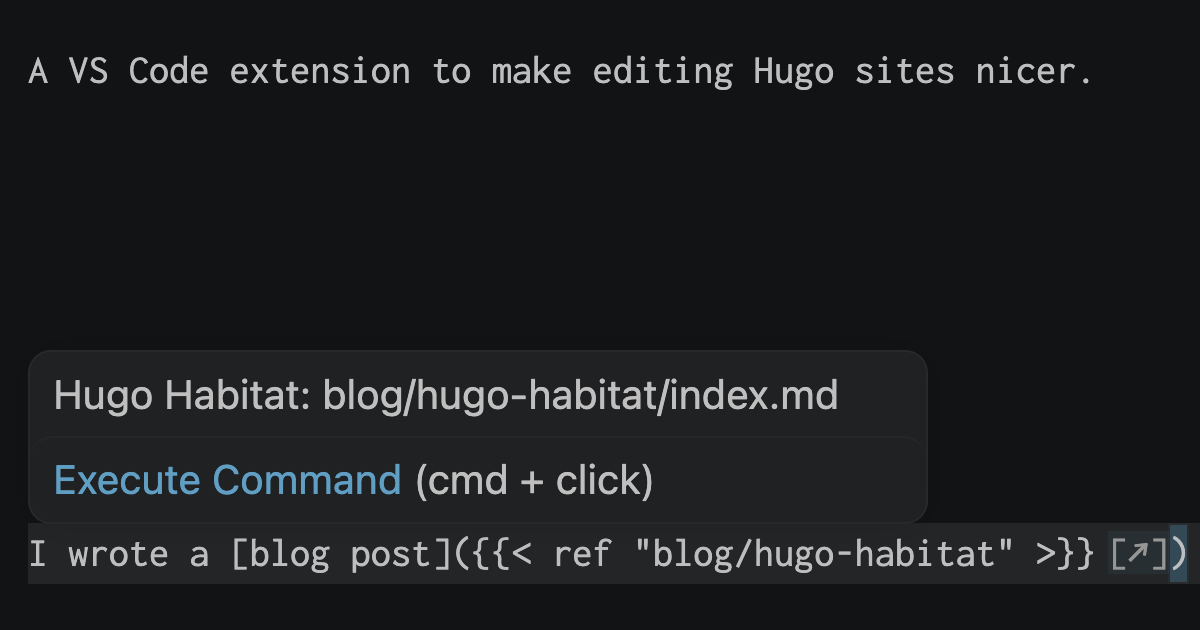
Hugo has a bunch of different kinds of references.
{{< ref unique-slug >}}: find the path to the content file forunique-slug{{< ref blog/habitat >}}: find the path to the unique tail, for instance, if you have/projects/habitatand/blog/habitat- The same thing with
relrefshortcodes - Can be configured to do the same for your own custom shortcodes, for instance,
if you have a
{{< page unique-slug >}}shortcode that emits<a href="/somewhere/unqique-slug">Title for unique-slug</a>
This makes it easy to work on posts that reference other posts. Instead of having to navigate to the other post yourself, you can just cmd-click!
All this works whether the content file is unique-slug.md (or .html),
unique-slug/index.md (or .html), or unique-slug/_index.md (or .html).
Open page in browser
When you have Hugo running in dev mode, sometimes it would be nice to be able to hit a hotkey and see the page.
Habitat adds a command palette action “Habitat: Open Page in Browser”.
By default it uses http://localhost:1313 as the site root, and you can change it in the configuration.
I use cmd+K H for the default keyboard shortcut.
I have previously created custom per-repo tasks (in .vscode/tasks.json) for this,
but now it’ll work the same in any Hugo site I am working on.
The extension version also seems like it may be faster?
Not sure about that though.
Update frontmatter date to current time
I write a lot of drafts in Hugo, and publish them days or months later.
I always end up editing timestamps like date: 2026-07-11T11:02:04-05:00 myself.
Until now! I added a command to update it to the current time with cmd+K H as the default keyboard shortcut.
Target audience: me
I suspect no one else will use this directly, but it had never occurred to me to try to fix these rough edges I’ve been hitting for years at this point until this week, and I am excited that the result was successful.
I expect that now that I’ve gotten started, I’ll think of more tools I could add to this toolbox over time.
Extensible tools are the best tools.